
Product photography is one of the most important parts of selling products online. When customers visit an ecommerce store, they cannot physically touch, hold, or inspect the item. Instead, they depend heavily on product images to understand what they are buying.
A clear, professional, and attractive product photo can help customers understand the product’s appearance, size, color, texture, and important features. On the other hand, poor-quality images can make even an excellent product look less valuable.
Whether you sell products through an ecommerce website, Amazon, Shopify, Etsy, eBay, social media, or a printed catalog, high-quality product photography can play a major role in your marketing strategy.
In this complete guide, you will learn:
- What product photography is
- Why product photography is important
- Different types of product photography
- How to take professional product photos
- Essential product photography equipment
- Lighting and background tips
- Product photo editing techniques
- Common mistakes to avoid
- SEO tips for ecommerce product images
- Frequently asked questions
Let’s get started.
What Is Product Photography?

Product photography is a type of commercial photography focused on capturing products in a visually appealing and informative way.
The primary purpose of product photography is to present a product clearly so potential customers can understand its features and feel confident about purchasing it.
These photographs can be used on:
- Ecommerce websites
- Online marketplaces
- Product catalogs
- Social media platforms
- Digital advertisements
- Printed advertisements
- Product packaging
- Email marketing campaigns
- Brochures and promotional materials
Product photography can range from a simple image of a product on a white background to a carefully styled lifestyle photograph showing someone using the product.
For example, a white background image of a pair of shoes may help customers see the product clearly. A lifestyle image of someone wearing those shoes outdoors can help customers imagine how the product might look in real life.
Both types of images serve different purposes.
The best ecommerce businesses usually use multiple product images to provide customers with a complete visual understanding of what they are purchasing.
Why Is Product Photography Important?
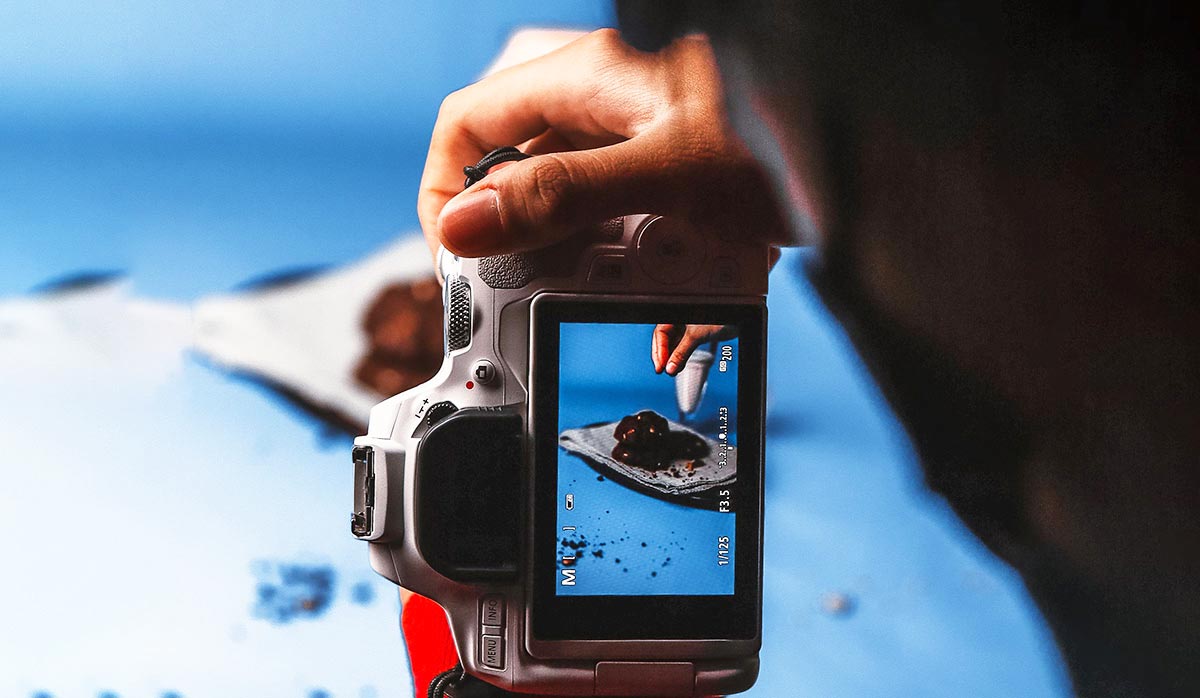
Online shopping is a highly visual experience.
Before purchasing a product, customers often examine the images carefully. Since they cannot physically inspect the product, photographs become an important source of information.
Professional product photography can help your business in several ways.
1. Creates a Strong First Impression
Customers often form an opinion about a product within seconds.
A clean, sharp, and professionally presented image immediately makes a product look more appealing.
Poor lighting, distracting backgrounds, blurry images, or inaccurate colors can create the opposite effect.
High-quality photography helps your brand create a professional first impression.
2. Builds Customer Trust
Customers want to know exactly what they are buying.
Clear images showing different angles, details, and textures can help reduce uncertainty.
For example, an online clothing store can show:
- Front view
- Back view
- Side view
- Close-up of fabric
- Detail of stitching
- Image of the product being worn
The more clearly customers understand the product, the more confident they may feel about purchasing it.
3. Helps Explain Product Features
A good product photograph does more than simply make an item look attractive.
It can also communicate important information.
For example:
- A close-up can show material texture.
- A scale image can demonstrate product size.
- A lifestyle photo can show how the product is used.
- A detail shot can highlight craftsmanship.
- A comparison image can explain product variations.
Visual information can often communicate faster than a long written description.
4. Strengthens Brand Identity
Consistent product photography helps create a recognizable brand style.
For example, your brand may use:
- Clean white backgrounds
- Minimalist compositions
- Bright and colorful settings
- Dark luxury-style backgrounds
- Natural lifestyle environments
When your product images follow a consistent visual style, your ecommerce store can look more professional and organized.
5. Can Improve Sales Performance
Professional product images can make a product more attractive and easier to understand.
Customers are more likely to explore a product page when the images are clear and visually appealing.
Strong photography can support your overall ecommerce strategy by helping visitors:
- Understand the product
- Notice important details
- Compare options
- Imagine using the item
- Feel more confident before purchasing
Types of Product Photography

There are many different styles of product photography. The right choice depends on the product, brand identity, and platform where the images will be used.
1. White Background Product Photography
White background photography is one of the most common styles used in ecommerce.
The product is photographed against a clean, plain background so the customer’s attention remains focused on the item.
This style is commonly used for:
- Amazon listings
- Ecommerce stores
- Online marketplaces
- Product catalogs
- Clothing stores
- Electronics
- Jewelry
White backgrounds create a clean and professional appearance.
After the photoshoot, professional background removal or clipping path services can help create a consistent white background.
2. Lifestyle Product Photography
Lifestyle photography shows a product being used in a real-life situation.
For example:
- A person wearing sunglasses outdoors
- Someone using a laptop in an office
- A model wearing clothing
- A customer drinking from a reusable bottle
Lifestyle images help tell a story.
Instead of simply showing what the product looks like, they show how the product fits into everyday life.
This type of photography is especially useful for:
- Social media
- Brand campaigns
- Advertisements
- Ecommerce banners
- Email marketing
3. Contextual Product Photography
Contextual photography places a product in an environment related to its intended use.
Unlike lifestyle photography, a person does not always need to appear in the image.
For example:
- A coffee machine in a kitchen
- Furniture inside a living room
- Camping equipment in an outdoor setting
- Skincare products on a bathroom shelf
Contextual images help customers understand where and how the product can be used.
4. Detail or Close-Up Photography
Close-up photography focuses on small details that may not be visible in a standard product image.
It is particularly important for products where materials and craftsmanship matter.
Examples include:
- Jewelry
- Watches
- Leather products
- Shoes
- Cosmetics
- Clothing
- Handmade products
Close-up images can highlight:
- Texture
- Stitching
- Materials
- Patterns
- Product finishes
- Small design features
5. Flat Lay Product Photography
Flat lay photography is captured from directly above.
Products are arranged on a flat surface and photographed from a bird’s-eye perspective.
This style is popular for:
- Fashion accessories
- Cosmetics
- Food
- Stationery
- Social media content
Flat lays allow photographers to create attractive compositions using multiple objects and props.
6. Group Product Photography
Group photography displays multiple products in a single image.
This can be useful for:
- Product collections
- Bundles
- Gift sets
- Different color variations
- Product families
For example, a skincare company may photograph an entire collection of products together.
Group images can help customers understand the relationship between multiple products.
7. Scale Product Photography
Sometimes product dimensions are difficult to understand from numbers alone.
Scale photography provides visual context.
For example, a small object may be photographed:
- In someone’s hand
- Next to a common household item
- Beside another object with a recognizable size
This helps customers better understand the actual size of the product.
8. 360-Degree Product Photography
360-degree photography allows customers to view a product from multiple angles.
A series of photographs is captured around the product and displayed in an interactive format.
This technique is particularly useful for:
- Electronics
- Furniture
- Shoes
- Luxury products
- Vehicles
It can provide a more interactive shopping experience.
9. Ghost Mannequin Photography
Ghost mannequin photography is commonly used in the fashion industry.
Clothing is photographed on a mannequin or model, and the mannequin is removed during post-production.
The final result creates the appearance that the clothing is being worn by an invisible person.
This technique helps customers understand:
- Product shape
- Fit
- Interior details
- Garment structure
Professional ghost mannequin editing is often required to create a realistic final image.
10. Packaging Photography
Packaging photography focuses on the way a product is presented inside its box, bottle, bag, or other packaging.
It is especially important for products such as:
- Cosmetics
- Food
- Beverages
- Gift products
- Consumer goods
The packaging may be a major part of the customer’s purchasing decision, so it should be photographed clearly and accurately.
How to Take Professional Product Photos

You do not always need an expensive studio to begin product photography.
With proper planning, lighting, and editing, even a simple setup can produce professional-looking results.
Here is a step-by-step process.
Step 1: Plan Your Product Photoshoot
Before taking photographs, decide exactly what images you need.
Create a shot list.
Your list may include:
- Main product image
- Front view
- Back view
- Side view
- Top view
- Detail images
- Lifestyle images
- Scale images
Planning before the shoot can save time and help maintain consistency.
Step 2: Clean and Prepare the Product
Small imperfections become highly visible in professional photography.
Before shooting, inspect the product carefully.
Remove:
- Dust
- Fingerprints
- Stickers
- Loose threads
- Wrinkles
- Packaging damage
Even after preparation, some imperfections may remain. These can often be corrected during professional product photo retouching.
Step 3: Choose the Right Background
Your background should support the product rather than distract from it.
For standard ecommerce images, a white background is often the safest option.
For creative campaigns, you may choose:
- Colored backgrounds
- Textured surfaces
- Natural environments
- Studio sets
The most important rule is simple: the product should remain the main focus.
Step 4: Use Good Lighting
Lighting is one of the most important elements of product photography.
Good lighting helps reveal:
- Product shape
- Texture
- Color
- Material quality
Natural window light can work well for beginners.
However, studio lights, softboxes, and diffusers offer more control.
Soft lighting is often preferred because harsh light can create strong shadows and distracting reflections.
Step 5: Stabilize Your Camera
A tripod helps create sharp and consistent photographs.
It is particularly useful when:
- Using slower shutter speeds
- Shooting multiple products
- Creating consistent angles
- Photographing ecommerce catalogs
Consistency is extremely important for online stores with large product collections.
Step 6: Photograph Multiple Angles
One image is usually not enough.
Show the product from different perspectives whenever possible.
Consider photographing:
- Front
- Back
- Left side
- Right side
- Top
- Bottom
- Close-up details
Multiple angles give customers a better understanding of the product.
Step 7: Capture Important Details
Think about the questions customers may have before purchasing.
For example:
- What does the material look like?
- How large is the product?
- What details make it different?
- How is it used?
Create photographs that answer these questions visually.
Essential Product Photography Equipment
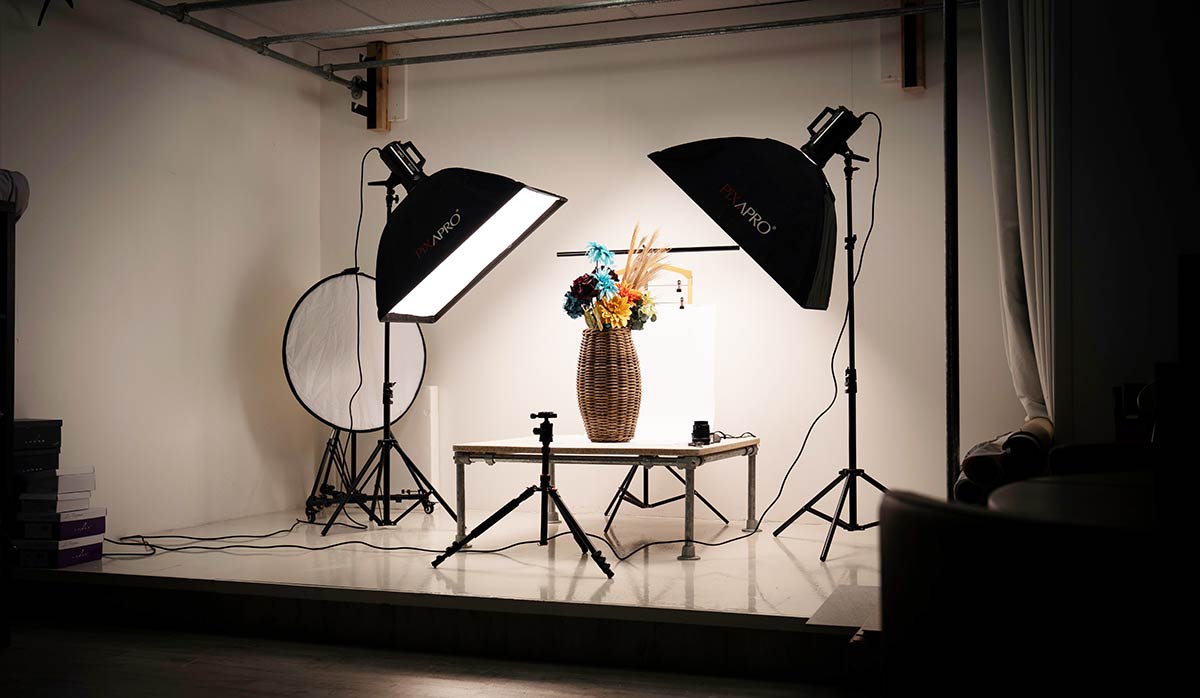
Your equipment needs will depend on your budget and the type of products you photograph.
Camera
You can start with a modern smartphone for basic product photography.
For more professional results, many photographers use:
- DSLR cameras
- Mirrorless cameras
The most important factor is understanding how to control lighting, focus, and exposure.
Lenses
Different lenses are useful for different types of products.
A standard lens may work well for general photography.
Macro lenses are useful for photographing small details, such as:
- Jewelry
- Watches
- Cosmetics
- Textures
Tripod
A tripod keeps the camera stable and helps maintain consistent framing.
It is a useful investment for ecommerce photography.
Lighting
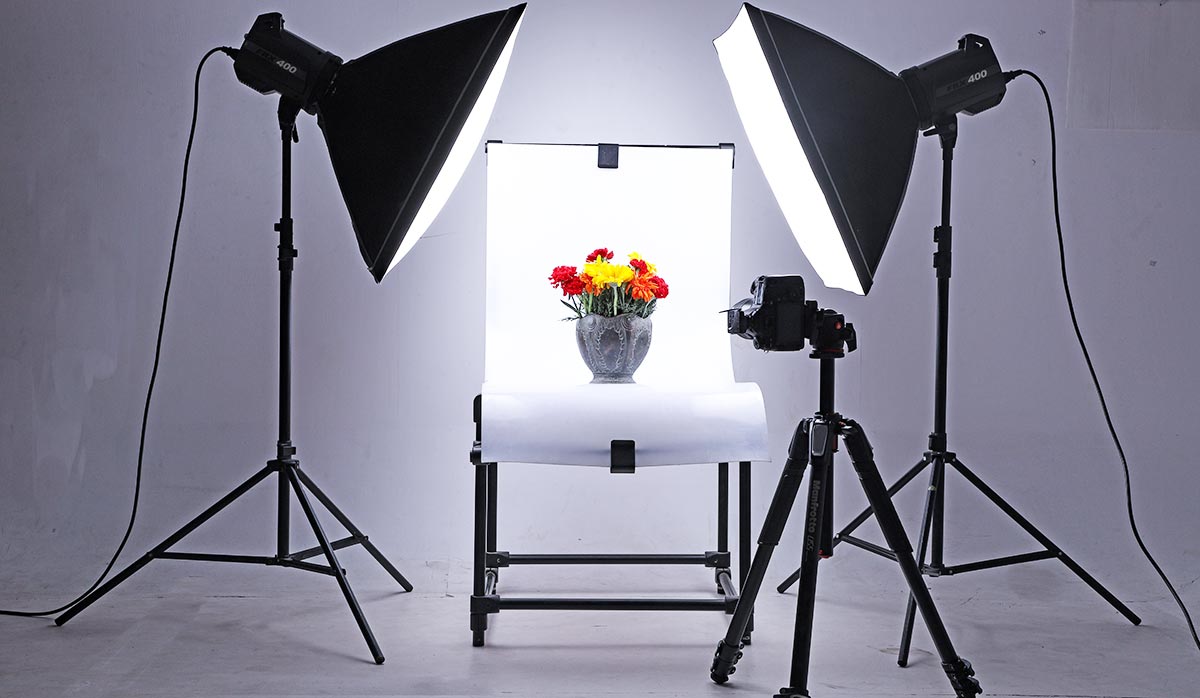
Common lighting equipment includes:
- Softboxes
- LED lights
- Studio lights
- Ring lights
Soft, controlled lighting is generally easier to work with than harsh direct light.
Reflectors and Diffusers
Reflectors bounce light back onto the product.
Diffusers soften harsh light.
These inexpensive tools can significantly improve product photography.
Background Materials
Popular options include:
- White paper
- Foam boards
- Fabric
- Acrylic surfaces
- Professional backdrops
Choose materials based on the visual style you want to create.
Product Photography Lighting Tips
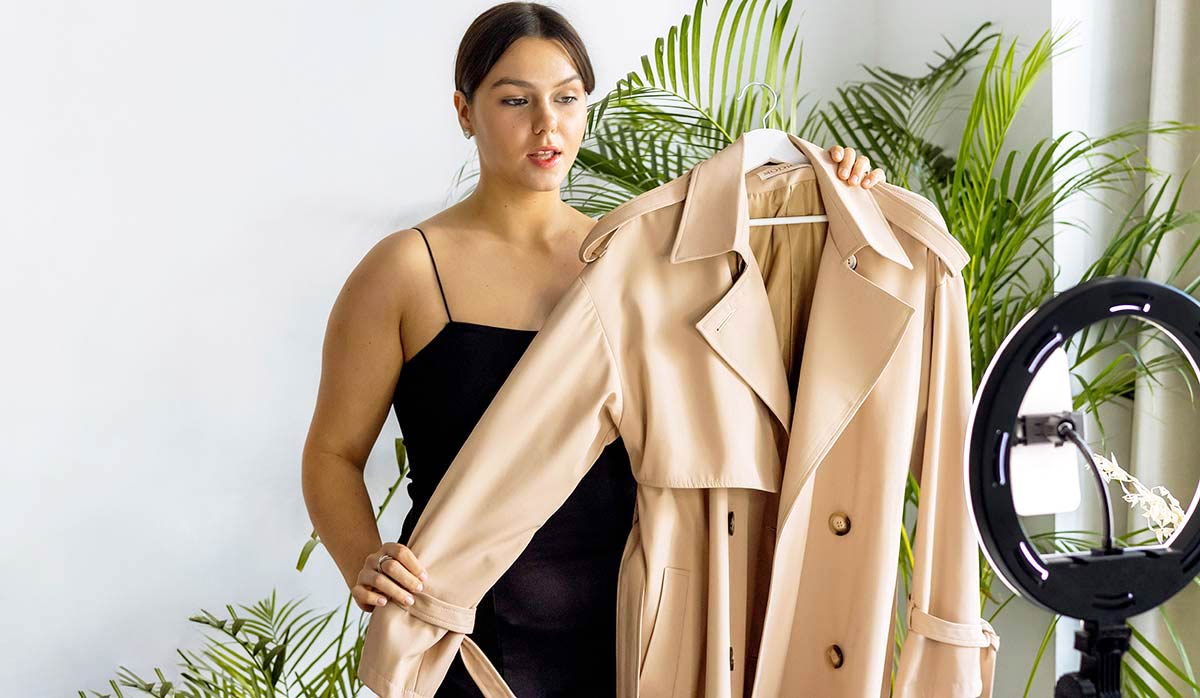
Use Soft Light
Soft light creates smoother shadows and more even illumination.
A diffuser or softbox can help reduce harsh shadows.
Avoid Mixed Lighting
Different light sources can have different color temperatures.
For example, mixing daylight with warm indoor lighting may create unnatural colors.
Try to use one consistent lighting setup.
Control Reflections
Products with shiny surfaces can create difficult reflections.
This is common with:
- Glass
- Jewelry
- Metal
- Electronics
Changing the position of lights, using diffusers, and adjusting camera angles can help control reflections.
Why Product Photo Editing Is Important
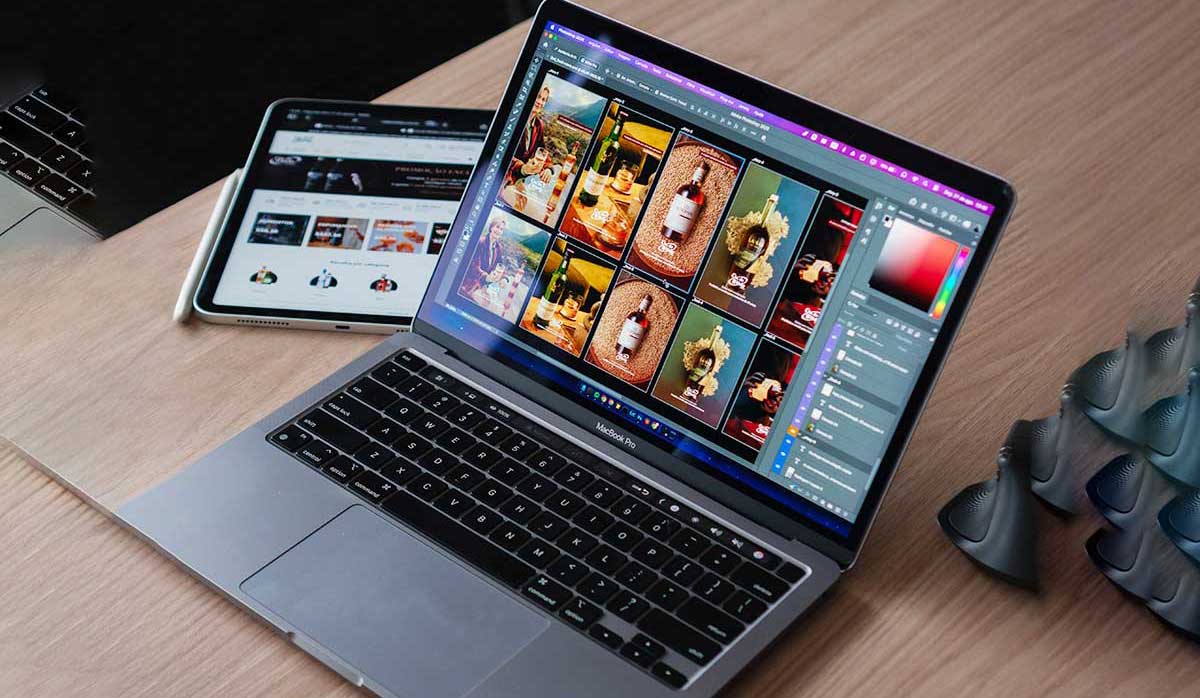
Even carefully photographed images often need post-production.
Editing helps create a clean and consistent final result.
Common product photo editing services include:
Removing distracting backgrounds and creating clean ecommerce-ready images.
Creating precise selections around products with clean edges.
Useful for complex objects such as:
- Hair
- Fur
- Transparent objects
- Glass
- Fine details
Adjusting colors so the product looks accurate and consistent.
Removing:
- Dust
- Scratches
- Wrinkles
- Unwanted reflections
- Small imperfections
Adding natural shadows can help products appear more realistic and grounded.
Creating professional invisible mannequin effects for clothing photography.
For ecommerce businesses handling a large number of images, outsourcing photo editing can save significant time and help maintain consistency.
ClippingObject provides professional image editing solutions including clipping path, background removal, image masking, photo retouching, color correction, and other ecommerce photo editing services.
Best Practices for Ecommerce Product Photography

Keep Images Consistent
Try to maintain consistency in:
- Background
- Lighting
- Camera angle
- Product size
- Image dimensions
A consistent store looks more professional.
Show the Real Product
Avoid excessive editing that changes the product’s actual appearance.
Colors and important details should remain accurate.
Customers should receive what they expect.
Use High-Resolution Images
Customers often want to zoom in and inspect products.
Use sufficiently high-resolution images while optimizing file size for website performance.
Optimize Images for Mobile
Many customers browse ecommerce websites using smartphones.
Make sure important product details are visible on smaller screens.
Common Product Photography Mistakes to Avoid

1. Blurry Images
Always check focus and camera stability.
2. Poor Lighting
Bad lighting can make products look dull or inaccurate.
3. Distracting Backgrounds
Keep unnecessary objects away from the main subject.
4. Incorrect Colors
Make sure the product color is represented accurately.
5. Too Few Images
Customers often need multiple views before making a decision.
6. Inconsistent Image Styles
Different lighting and backgrounds can make an ecommerce store look unprofessional.
7. Ignoring Photo Editing
Small imperfections can distract customers and reduce the professional appearance of the product.
SEO Tips for Product Photography
Product photography can also support your website’s SEO strategy.
Use Descriptive Image File Names
Avoid generic names such as:
IMG_001.jpg
Instead, use descriptive names such as:
black-leather-handbag-product-photo.jpg
This helps organize your files and provides useful context.
Write Relevant Alt Text
Alt text should describe the image naturally.
For example:
Black leather handbag with gold hardware on a white background
Avoid keyword stuffing.
The description should be helpful and relevant to the actual image.
Compress Large Images
Very large image files can slow down your website.
Compress images while maintaining good visual quality.
Website speed is important for both user experience and search performance.
Use Appropriate Image Dimensions
Upload images at suitable dimensions for your website.
Avoid unnecessarily large files when a smaller optimized image will provide the same visual result.
Use Product Images Throughout Your Content
Original product images can also be useful in:
- Blog posts
- Landing pages
- Service pages
- Social media
- Case studies
One professional photoshoot can provide content for multiple marketing channels.
Product Photography Checklist

Before publishing your product images, check the following:
- Is the product clean?
- Is the image sharp?
- Is the lighting consistent?
- Is the product color accurate?
- Is the background appropriate?
- Are distracting elements removed?
- Are multiple angles available?
- Are important details visible?
- Is the image optimized for the web?
- Does the file name describe the image?
- Is the alt text relevant?
Final Thoughts
Product photography is much more than simply taking a picture of something you want to sell.
It is an important part of how customers discover, understand, and evaluate products online.
A strong product photography strategy should combine:
- Clear main product images
- Multiple viewing angles
- Detailed close-ups
- Lifestyle or contextual images
- Accurate colors
- Consistent branding
- Professional photo editing
You do not always need the most expensive equipment to create effective product images. Good lighting, careful preparation, proper composition, and professional editing can make a significant difference.
For ecommerce businesses, photographers, agencies, and online retailers managing large volumes of images, professional post-production can also help maintain consistency and save valuable time.
At ClippingObject, our professional photo editing team helps businesses prepare ecommerce-ready images through services such as clipping path, background removal, image masking, photo retouching, color correction, shadow creation, and ghost mannequin editing.
High-quality images can help your products look their best—and give customers a clearer view of what they are considering buying.
Frequently Asked Questions (FAQ)
What is product photography?
Product photography is a form of commercial photography that focuses on capturing products for ecommerce, advertising, catalogs, social media, and other marketing purposes.
Why is product photography important?
It helps customers understand what a product looks like, highlights important features, creates trust, and improves the professional appearance of a brand.
What equipment do I need for product photography?
Basic equipment can include a camera or smartphone, lighting, a background, a tripod, and editing software.
Can I use a smartphone for product photography?
Yes. Modern smartphones can produce good results, especially when combined with proper lighting and a stable setup.
What background is best for ecommerce product photos?
A clean white background is commonly used for standard ecommerce listings, although lifestyle and contextual backgrounds can also be effective depending on the platform and brand.
How many product photos should I use?
The number depends on the product, but multiple angles and detail images usually provide customers with a better understanding of the item.
What is lifestyle product photography?
Lifestyle product photography shows a product being used in a real-world situation to create context and tell a visual story.
What is a flat lay product photo?
A flat lay photograph is taken from above, with products arranged on a flat surface.
Why is product photo editing necessary?
Editing helps remove distractions, correct colors, improve consistency, remove backgrounds, and create a polished final image.
What is ghost mannequin photography?
Ghost mannequin photography is a technique used mainly for clothing products where the mannequin is removed during editing to create an invisible mannequin effect.
How do I optimize product images for SEO?
Use descriptive file names, relevant alt text, optimized image sizes, compressed files, and high-quality original images.
What is the best lighting for product photography?
Soft, even lighting is often ideal because it helps reduce harsh shadows and allows product details to remain clearly visible.
Can product photo editing be outsourced?
Yes. Businesses can outsource services such as clipping path, background removal, image masking, retouching, color correction, and shadow creation to professional photo editing companies.